

Bonus Block
Bonus Block
Breast Cancer Awareness Month
Single Line:

Purely text with a background color, these are great for displaying slogans, hours, or general information. If desired, the entire banner can link to a landing page.
<div class="container-fluid pad-vert-1x border-x text-center" style="background-color: pink; color: #000;">
<div class="container">
<div class="row">
<div class="col-sm-12">
<h2 class="margin-x">
<strong>We support Breast Cancer Awareness Month</strong>
</h2>
</div>
</div>
</div>
</div>
Banner

<div class="container-fluid pad-vert-1x" style="background-color: #FDD9E5;">
<div class="container">
<div class="row text-center">
<a href="/myLink.html">
<div class="col-sm-12 text-white">
<img src="/static/industry-automotive/Generic_Holiday_Assets/Breast_Cancer_Awareness/Breast_Cancer_Bonus_Desktop-Set2.jpg" alt="Breast Cancer Awareness Month" class="img-responsive margin-auto hidden-xs">
<img src="/static/industry-automotive/Generic_Holiday_Assets/Breast_Cancer_Awareness/Breast_Cancer_Bonus_Mobile-Set2.jpg" alt="Breast Cancer Awareness Month" class="img-responsive margin-auto visible-xs">
</div>
</a>
</div>
</div>
</div>
Text
One line of text

Purely text with a background color, these are great for displaying slogans, hours, or general information. If desired, the entire banner can link to a landing page
<div class="container-fluid pad-vert-1x bg-cta border-x text-center">
<div class="container">
<div class="row">
<div class="col-sm-12">
<h2 class="margin-x">
Heading
</h2>
</div>
</div>
</div>
</div>
Two lines of text

Purely text with a background color, these are great for displaying slogans, hours, or general information. If desired, the entire banner can link to a landing page.
Heading and Sub-Heading
<div class="container-fluid pad-vert-1x bg-cta border-x text-center">
<div class="container">
<div class="row">
<div class="col-xs-12">
<h2 class="margin-x">
Heading
</h2>
<p class="margin-x">
Sub-Heading
</p>
</div>
</div>
</div>
</div>
Slim Text (Pencil) Banner

Purely text with a background color, these are great for displaying slogans, hours, or general information. If desired, the entire banner can link to a landing page.
<a href="/myLink.html" class="btn btn-cta btn-lg btn-block pad-vert-5x text-center">
<div class="container">
<div class="row">
<div class="col-xs-12">
<h2 class="h3 margin-x">
Link Heading
</h2>
</div>
</div>
</div>
</a>
Text with CTA

Urging the user to get additional information with a call to action, these are best accompanied by a one-line summary of an offer or sale information.
<div class="container-fluid pad-vert-1x bg-main border-x text-center">
<div class="container">
<div class="col-sm-12">
<ul class="list-inline vert-middle">
<li class="h1"> Text Here </li>
<li> <a href="/myLink.html" class="btn btn-cta btn-lg">Click Here Now!</a></li>
</ul>
</div>
</div>
</div>
Images
Single Image

Image-based bonus blocks can be created for dealers who have an applicable banner package. For readability, both desktop and mobile versions of the banner should be provided.
<div class="container-fluid pad-vert-1x bg-cta">
<div class="container">
<div class="row text-center">
<a href="/myLink.html">
<div class="col-sm-12 text-white">
<img src="/static/dealer-19330/myImage.jpg" class="img-responsive margin-auto">
</div>
</a>
</div>
</div>
</div>
Full-Width Image

Image-based bonus blocks can be created for dealers who have an applicable banner package. For readability, both desktop and mobile versions of the banner should be provided.
<div class="container-fluid">
<img class="img-responsive margin-auto lazy" src="/static/dealer-19330/myImage.png" alt="Text description">
</div>
Linked Image

Image-based bonus blocks can be created for dealers who have an applicable banner package. For readability, both desktop and mobile versions of the banner should be provided.
<div class="container-fluid">
<a href="/myLink.html"><img class="img-responsive margin-auto lazy" src="/static/dealer-19330/myImage.png" alt="Text description"></a>
</div>
Carousel

Used when multiple banners or sections of content should be displayed and rotated. For each slide, all information in the template must be provided.
<div class="container-fluid">
<img class="img-responsive margin-auto lazy" src="/static/dealer-19330/myImage.gif" alt="Text description">
</div>
Slim Image (Pencil) Banner

These can be text - or image-based and are slimmer than typical bonus blocks, making them take up less above-the-fold space. It is more important for image-based pencil banners to have a mobile version supplied as well, as they can be very hard to read on mobile.
<div class="container-fluid">
<img class="img-responsive margin-auto lazy" src="/static/dealer-19330/myImage.png" alt="Text description">
</div>
Countdown
Countdown

A countdown to a specific event, using the script from DKB-505. This script has limited functionality, but can count down to a particular date and time provided.
HTML and Block Content
<a href="/myLink1.html" target="_blank" class="pad-vert-1x container-fluid btn btn-cta btn-block border-radius-x" onclick="DealerOnTrack.event('Countdown Timer Block','click',window.location.href)">
<div id="countDown" class="countDown text-center">
<div class="row">
<div class="col-sm-12">
<h2 class="margin-top-x">
Countdown to Sale Event Heading
</h2>
</div>
</div>
<ul class="list-unstyled list-inline margin-x">
<li>
<div id="days" class="heading-xl margin-x"></div>
<div class="text-uppercase"><small>Days</small></div>
</li>
<li>
<div id="hours" class="heading-xl margin-x"></div>
<div class="text-uppercase"><small>Hours</small></div>
</li>
<li>
<div id="minutes" class="heading-xl margin-x"></div>
<div class="text-uppercase"><small>Minutes</small></div>
</li>
<li>
<div id="seconds" class="heading-xl margin-x"></div>
<div class="text-uppercase"><small>Seconds</small></div>
</li>
</ul>
</div>
</a>

<div id="defaultBonusBlock" class="container-fluid bg-cta" style="display: none;">
<div class="row text-center pad-vert-2x">
<div class="col-sm-12">
<h2 class="margin-x">
Countdown End Heading Text Here
</h2>
<a href="myLink2.html" class="btn btn-main margin-top-1x">CTA Link</a>
</div>
</div>
</div>
Countdown Timer Script
This portion contains the script that makes the timer work. In this, set the date and also determine whether to have the countdown be replaced by the new code section once the timer reaches zero.
<script type="text/javascript" defer>
const second = 1000,
minute = second * 60,
hour = minute * 60,
day = hour * 24;
/* Set the date here. You may need to adjust it to account for time zone differences. */
let countDown = new Date('Oct 1, 2020 12:06:00').getTime(),
x = setInterval(function() {
let now = new Date().getTime(),
distance = countDown - now;
/* Set to false if you don't want the countdown to go away after it ends. */
autoReplace = true;
if (distance < 0 && autoReplace) {
document.getElementById('countDown').setAttribute("style", "display:none;");
document.getElementById('defaultBonusBlock').setAttribute("style", "display:block;");
} else if (distance < 0 && autoReplace = false)
document.getElementById('days').innerHTML = Math.floor(distance / (day)),
document.getElementById('hours').innerHTML = Math.floor((distance % (day)) / (hour)),
document.getElementById('minutes').innerHTML = Math.floor((distance % (hour)) / (minute)),
document.getElementById('seconds').innerHTML = Math.floor((distance % (minute)) / second);
}, second)
</script>
Inventory Count

Great for single locations, or for showcasing inventory counts. On homepages, these can be animated similarly to the "Vehicles Available" text on the Inventory Search widget.
Single Location
<div class="bg-main pad-vert-1x text-center">
<div class="container">
<div class="row">
<div class="col-lg-10 col-lg-offset-1 col-md-8 col-md-offset-2">
<div class="row">
<div class="col-xxs-6 col-xs-4">
<p class="h3 margin-x invCounter invCountNew">
Invalid Replacement Code39;N'|NUM#
</p>
<p class="text-uppercase margin-x">
New Vehicles
</p>
</div>
<div class="col-xxs-6 col-xs-4">
<p class="h3 margin-x invCounter invCountUsed">
Invalid Replacement Code39;U'|NUM#
</p>
<p class="text-uppercase margin-x">
Used Vehicles
</p>
</div>
<div class="col-xxs-12 col-xs-4">
<p class="h3 margin-x invCounter invCountAll text-cta">
Invalid Replacement Code39;N' or type = 'U')|NUM#
</p>
<p class="text-uppercase margin-x">
Total Vehicles
</p>
</div>
</div>
</div>
</div>
</div>
</div>
Animated Inventory Count Script
Add the following to homepage custom code, body bottom to animate the count similarly to #ANIMATEDCOUNT# in the Horizontal Inventory Search widget (it is not recommended to add this sitewide for performance purposes):
<script type="text/javascript" defer>
let invCountNew = "Invalid Replacement Code39;N'|NUM#",
invCountUsed = "Invalid Replacement Code39;U'|NUM#",
invCountAll = "Invalid Replacement Code39;N' or type = 'U')|NUM#";
$('p.invCountNew').attr('data-count', invCountNew).text('0');
$('p.invCountUsed').attr('data-count', invCountUsed).text('0');
$('p.invCountAll').attr('data-count', invCountAll).text('0');
$('.invCounter').each(function() {
var $this = $(this),
countTo = $this.attr('data-count');
$({ countNum: $this.text() }).animate({
countNum: countTo
}, {
duration: 1500,
easing: 'linear',
step: function() {
$this.text(Math.floor(this.countNum));
},
complete: function() {
$this.text(this.countNum);
}
});
});
</script>
Great for multiple locations, or for showcasing inventory counts. On homepages, these can be animated similarly to the "Vehicles Available" text on the Inventory Search widget.
Groups with Multiple Locations
<div class="bg-main pad-vert-1x text-center">
<div class="container">
<div class="row">
<div class="col-lg-10 col-lg-offset-1 col-md-8 col-md-offset-2">
<div class="row">
<div class="col-xs-6 col-sm-3">
<p class="h3 margin-x">
2
</p>
<p class="text-uppercase margin-x">
Locations
</p>
</div>
<div class="col-xs-6 col-sm-3">
<p class="h3 margin-x invCounter invCountNew">
Invalid Replacement Code39;N'|NUM#
</p>
<p class="text-uppercase margin-x">
New Vehicles
</p>
</div>
<div class="col-xs-6 col-sm-3">
<p class="h3 margin-x invCounter invCountUsed">
Invalid Replacement Code39;U'|NUM#
</p>
<p class="text-uppercase margin-x">
Used Vehicles
</p>
</div>
<div class="col-xs-6 col-sm-3">
<p class="h3 margin-x invCounter invCountAll text-cta">
Invalid Replacement Code39;N' or type = 'U')|NUM#
</p>
<p class="text-uppercase margin-x">
Total Vehicles
</p>
</div>
</div>
</div>
</div>
</div>
</div>
Accordion
Accordion (Collapsible) Bonus Block
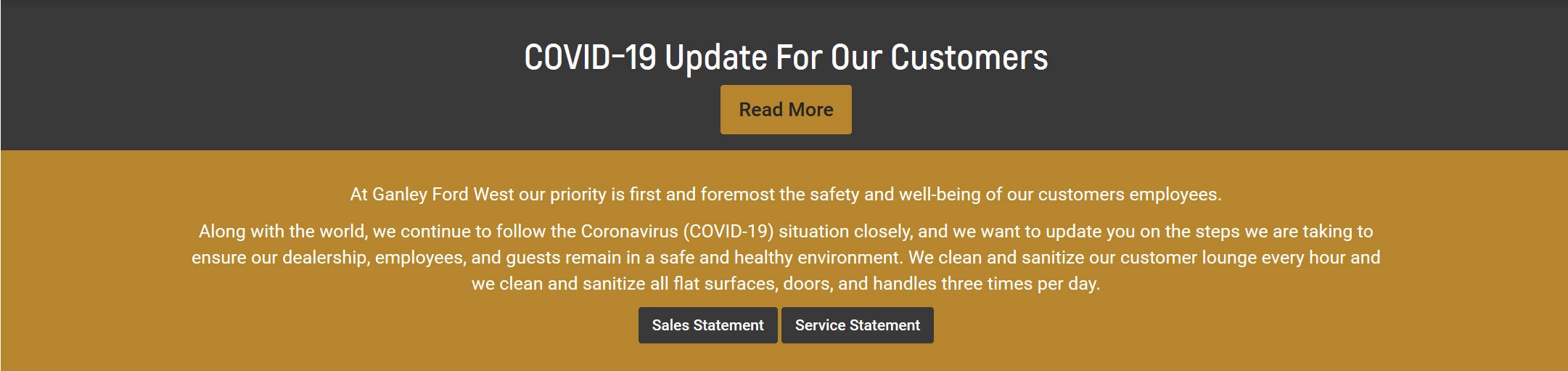
When clicked, the bonus block drops down to reveal additional content. Great for showcasing policies, core values, and awards.
Separate background colors for the heading and body
<a role="button" data-toggle="collapse" href="#bonusBlockCollapse" aria-expanded="false" aria-controls="bonusBlockCollapse">
<div class="container-fluid pad-vert-1x bg-main">
<div class="row margin-x text-center text-white">
<div class="col-xs-12">
Heading Content Here
</div>
</div>
</div>
</a>
<div class="collapse" id="bonusBlockCollapse">
<div class="container-fluid border-x bg-cta">
<div class="container">
<div class="row margin-x text-white pad-vert-1x">
<div class="col-xs-12">
Body Content Here
</div>
</div>
</div>
</div>
</div>

When clicked, the bonus block drops down to reveal additional content. Great for showcasing policies, core values, and awards.
Separate background colors for the heading and body; Body content visible by default
<a role="button" data-toggle="collapse" href="#bonusBlockCollapse" aria-expanded="true" aria-controls="bonusBlockCollapse">
<div class="container-fluid pad-vert-1x bg-main">
<div class="row margin-x text-center text-white">
<div class="col-xs-12">
Heading Content Here
</div>
</div>
</div>
</a>
<div class="collapse in" id="bonusBlockCollapse" aria-expanded="true">
<div class="container-fluid border-x bg-cta">
<div class="container">
<div class="row margin-x text-white pad-vert-1x">
<div class="col-xs-12">
Body Content Here
</div>
</div>
</div>
</div>
</div>
Scrolling
Scrolling (Marquee) Bonus Block

The contents of the bonus block scroll right to left across the screen like the old HTML marquees.
HTML:
<div id="scrolling-text-wrapper" class=" pad-vert-1x bg-main">
<h2 id="scrolling-text" class=" h4 margin-x">
<span>Scrolling bonus block content</span>
</h2>
</div>
CSS:
Start with this styling, then if JavaScript is functioning, the styling will be overwritten
<style>
#scrolling-text-wrapper {
overflow-x: hidden;
}
#scrolling-text {
position: relative;
white-space: nowrap;
animation-name: scrolltext;
animation-duration: 40s;
animation-timing-function: linear;
animation-iteration-count: infinite;
}
/* The last rule has the length of the text itself in ems. Will be recalculated at runtime with JS if possible */
@keyframes scrolltext {
from {
right: -100%;
}
to {
right: 11em;
}
}
</style>
Scrolling Text Script:
Alters the CSS animation based on the length of the text and screen width
<script>
window.addEventListener('load', function() {
$(document).ready(function() {
change('scrolltext', '#scrolling-text');
});
$(window).resize(function() {
change('scrolltext', '#scrolling-text');
});
/* search the CSSOM for a specific -webkit-keyframe rule */
function findKeyframesRule(rule) {
/* gather all stylesheets into an array */
var ss = document.styleSheets;
/* loop through the stylesheets */
for (var i = 0; i < ss.length; ++i) {
/* loop through all the rules */
for (var j = 0; j < ss[i].cssRules.length; ++j) {
/* find the keyframe rule whose name matches our passed over parameter and return that rule */
if (ss[i].cssRules[j].type == window.CSSRule.KEYFRAMES_RULE && ss[i].cssRules[j].name == rule)
return ss[i].cssRules[j];
}
}
/* rule not found */
return null;
}
/* remove old keyframes and add new ones */
function change(anim, el) {
/* find our keyframe rule */
var keyframes = findKeyframesRule(anim);
var scrollingText = $(el + " > span");
var elWidth = $(scrollingText).width();
var elFontSizeRaw = $(el).css('font-size');
var elFontSize = parseInt(elFontSizeRaw.substring(0, elFontSizeRaw.length - 2))
var elWidthEms = elWidth / elFontSize;
var duration = ($(window).width() + elWidth) / 60 + 's';
/* remove the existing to rule */
keyframes.deleteRule("to");
/* replace with width of actual text in ems */
keyframes.appendRule("to { right: " + elWidthEms + "em; }");
/* update the existing animation duration */
$(el).css('animation-duration', duration);
}
});
</script>